

The setup steps below are similar to the . If you have already completed those steps, confirm that the Manage AI scope is enabled and that your admin has enabled AI Studio, then skip ahead to next steps.
1
Create a platform application
Create a platform application to make API calls. Follow the guide on .
2
Enable AI Studio
Ask a Box admin to enable AI Studio in the Admin Console. For admin instructions, see Enabling Box AI Studio and Managing Agents.
3
Add the AI scope
To interact with the Box AI API, add the 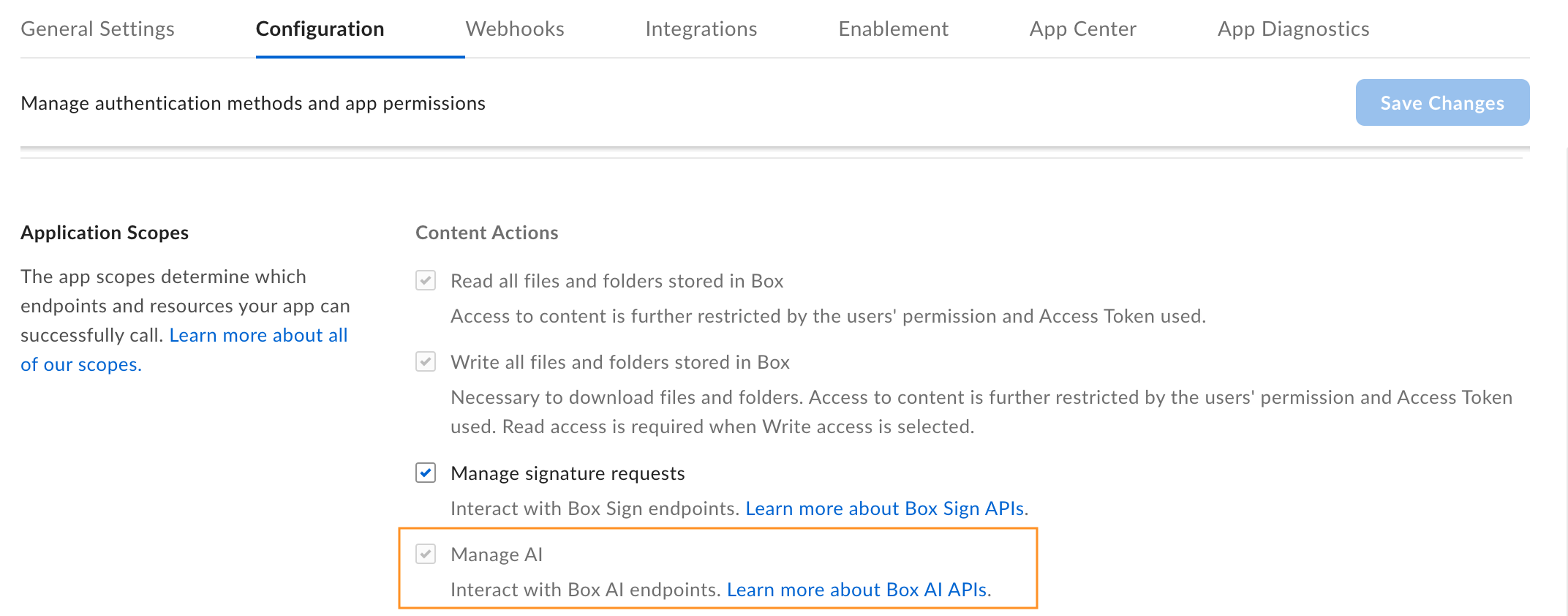
ai.readwrite to your application.- Open your application in the Developer Console.
- Go to Configuration > Required Access Scopes > Content Actions.
- Select Manage AI.
If you do not see the Manage AI option, contact your admin to grant access to the Box AI API.
If you see the scope checked and grayed out, the app owner has it enabled but you cannot change the setting.
4
Authorize the application
Submit your app for . If you are enabling Box AI for an existing application, you must it.
5
Generate a developer token
Generate a developer token to authenticate your requests.
- Go to Developer Console > My Platform Apps.
- Hover over a platform app and select the Options menu button (…) on the right.
- Select Generate Developer Token. The token is automatically copied to your clipboard.
Next steps
With your application configured and a token generated, you can start creating custom AI agents. Use cURL, Postman, or any of the to make API calls.Create an agent
Define a custom AI agent with specific capabilities and access controls.
List agents
Retrieve all AI agents in your enterprise.